Webflow vs WordPress vs Squarespace: Which Is Right for a Small Irish Business?
An honest comparison of Webflow, WordPress and Squarespace for small Irish businesses: ease of use, security, SEO, running costs and when to choose each.
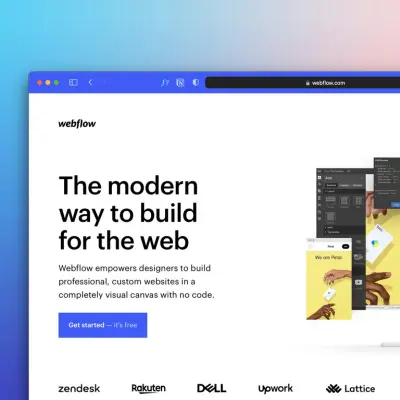
If you're getting a new website, sooner or later someone will ask which platform you want it built on. Most small business owners don't have a strong view, and they shouldn't need one. But the choice affects what you'll pay each year, how easily you can update the site yourself, and how hard it would be to move to someone else later.
I build websites in Webflow, so I'm not neutral. I'll explain why I use it, and I'll also be clear about when WordPress, Squarespace or something else would suit you better.
The short answer
- Choose Squarespace (or Wix) if you want to build and run a simple site yourself, on a small budget, and you're happy working within its templates.
- Choose WordPress if you need a feature that only a plugin provides, want the widest choice of developers, or are building a large content site, and you're prepared to keep on top of updates and security.
- Choose Webflow if you want a professionally designed site that's fast, secure and easy for you to edit day to day, without managing plugins or updates.
- Choose Shopify if selling products online is the main job of the site.
What each platform is
Squarespace is an all-in-one website builder. You pick a template, add your content and pay a monthly subscription that covers hosting. It's designed for people building their own sites. Wix works in a similar way.
WordPress is the most widely used platform on the web. According to W3Techs, it runs 40.1% of all websites. The free, self-hosted version (from WordPress.org) needs separate hosting, and most features come from add-ons called plugins, built by thousands of different developers.
Webflow is a professional website design platform. Designers build the site visually, with full control over the layout, and the business owner then edits text, images and blog posts through a simple editor. Hosting is included in the site plan, and there are no plugins to update. It's much smaller than WordPress: W3Techs puts it at 0.8% of websites.
Ease of use: who will be updating the site?
This is the question that matters most for a small business, and it's often not asked.
- Squarespace is the easiest to build yourself. Making small updates is straightforward too.
- WordPress depends heavily on how it was built. A well-built site can be easy to edit, but many owners end up with a confusing dashboard full of plugin settings they're afraid to touch.
- Webflow is not a do-it-yourself builder for most owners. It's built by a designer. Once it's live, though, editing text, swapping photos and adding blog posts happens on the page itself, and you can't accidentally break the layout.
If you'll build the site yourself, Squarespace or Wix is usually the better choice. If someone else is building it and you'll keep it up to date, the question is how easy the editing will be for you, so ask to see it before you commit.
Design: how much control do you need?
Squarespace templates look good, but every site built on the same template shares the same bones, and customising beyond what it allows gets awkward.
WordPress can do almost anything, but how it looks depends on the theme and the developer. Some themes are heavy and slow.
Webflow gives a designer full control without needing a heavy theme, which is a large part of why I use it. The result is a site designed around your business rather than adapted from someone else's template.
Security and maintenance
This is where the platforms differ most, and where small businesses often get caught out.
Because WordPress relies on plugins from many developers, keeping it secure means keeping everything up to date. Security company Patchstack reported 11,334 new vulnerabilities in the WordPress ecosystem in 2025, with 91% of them in plugins. That doesn't make WordPress unsafe. It means someone has to look after it, and that's either your time or a monthly maintenance fee.
Squarespace and Webflow are hosted platforms. The company behind each one manages the hosting, security and updates for you, so there's far less to maintain.
Search and AI visibility
All three can rank well on Google. What makes the difference is the content and how well the site is set up, not the platform's name.
That said, each platform makes the basics easier or harder. Webflow gives full control over page titles, descriptions, headings, image descriptions, redirects and structured data without plugins. WordPress can do all of this with the right plugins, set up correctly. Squarespace covers the basics well but offers less fine control.
The same applies to being found in AI tools like ChatGPT. Clear, well-structured pages that state the facts about your business help on any platform. I cover this in more detail in my guide to GEO for Irish SMEs.
Running costs
Each platform charges differently, so compare the yearly cost, not just the monthly headline:
- Squarespace: a monthly or yearly subscription that includes hosting. On its pricing page, plans currently start at $19 a month billed annually (the price in euro may differ by region).
- WordPress: the software is free, but you'll pay for hosting, and possibly for premium themes, plugins and a maintenance plan.
- Webflow: a site plan that includes hosting. On Webflow's pricing page, the Basic plan is listed at $15 a month and the plan with the content management system (needed for a blog) at $25 a month, both billed yearly, in US dollars, plus VAT.
Whichever you choose, your domain name and business email are usually separate costs. My guide to what a website costs in Ireland covers the full picture.
Online shops
If selling products online is the main purpose of your website, a platform built for e-commerce, such as Shopify, is usually the strongest choice. WordPress with WooCommerce is a popular alternative. Squarespace and Webflow can both sell online, but I'd only use them for a small range of products alongside a mainly informational site.
Moving later
No platform makes moving completely painless, but some are harder than others. A Squarespace or Webflow site can't simply be lifted onto another platform; it would be rebuilt, although your content, images and domain come with you. A WordPress site can move between hosts more easily, but moving it to a different platform is also a rebuild.
Whatever you choose, make sure the domain and accounts are in your name. That matters far more than the platform when it comes to keeping your options open.
Why I build in Webflow, and when I don't recommend it
I use Webflow because it lets me design a site around each business, it's fast and secure without plugins, and the owners I work with can update their own content without worrying about breaking anything. For most small service businesses, that combination is what they need.
I wouldn't recommend it if you want to build the site entirely yourself on a small budget, if online shopping is the main job of your site, or if you depend on a specific WordPress plugin that has no equivalent.
If you're weighing up a new site, my website design page explains how I work, or you can book a free consultation and I'll tell you honestly which platform makes sense for you.
Frequently asked questions
Is Webflow better than WordPress for a small business?
For many small service businesses, yes, because it's secure and low-maintenance and the owner can edit content easily. WordPress is the better choice if you need a specific plugin, want the widest choice of developers, or are building a large content site and can keep it maintained.
Is Squarespace good enough for a small business?
Often, yes. If you're building the site yourself and your needs are simple, Squarespace is a sensible, affordable choice.
Which website platform is best for SEO?
Any of the three can rank well. Good content and a properly set-up site matter far more than the platform. Webflow and WordPress offer more control over technical settings than Squarespace.
Can I edit a Webflow website myself?
Yes. Once a designer has built it, you can edit text, images and blog posts directly on the page, without touching the design.
Which platform is cheapest to run?
It depends on the site. Squarespace and Webflow bundle hosting into one plan. WordPress software is free, but hosting, premium plugins and maintenance can add up. Compare the yearly total for your situation.


.jpg)
.jpg)